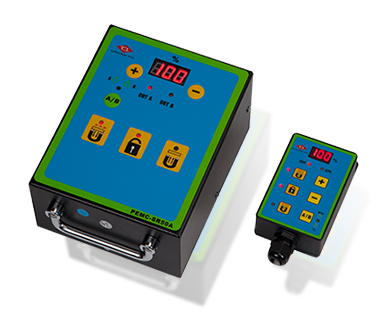
Panel Diagram & Description of Button:
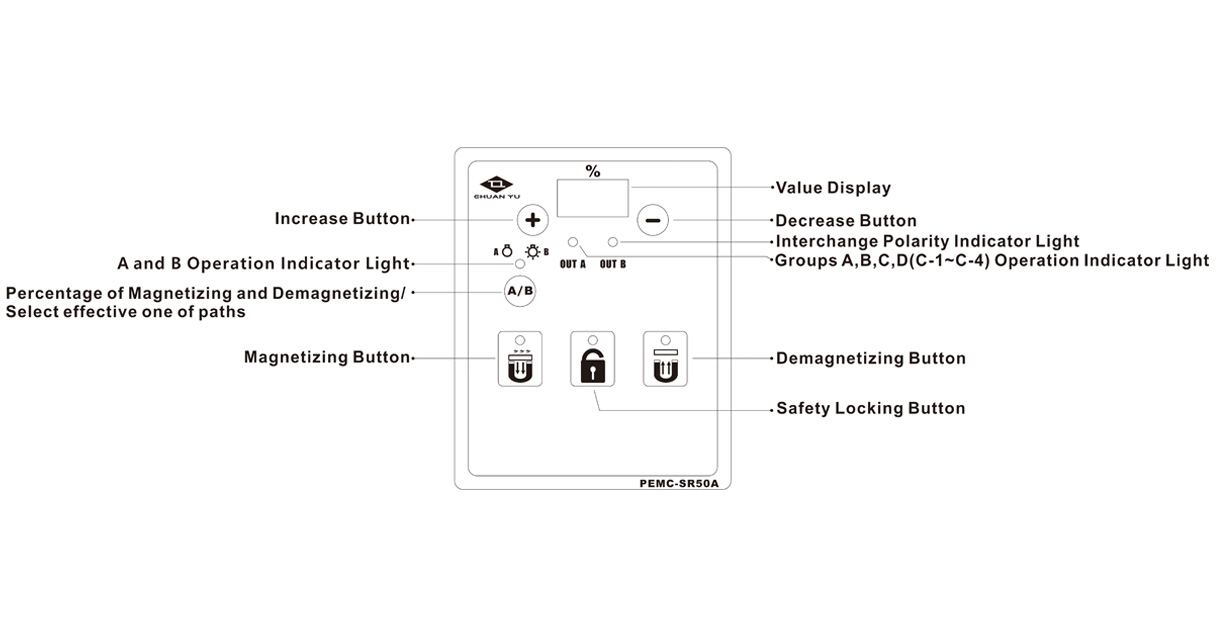
1.Increase button: Each press of the button increases the value by 1, and holding down the button will increase the value faster.
2.Decrease button: Each press of the button decreases the value by 1, and holding dowm the button will increase the value faster.
3. Button A/B: ①For each path of output setting: The light is always on when pressing the button  to keep on second, and the display will show
  1~4, with the function served as controller multi-path output type by selecting just one of paths of magnetization and demagnetization, and under such a display functional status, then select the C-1~C-4 by setting the button
 , with the range of setting is restricted in the basic path of the controller. For example, two paths can only give a single output to C-2. Using this function needs to be maintained in this status. ②Setting of magnetizing and demagnetizing intensity: Pressing the button circulated to flashing lights as the magnetizing and demagnetizing intensity to set the button ranging from 10~100% (percentage of output should be maintained under this function status, leaving the function will be 100% output)Pressing and releasing the button repeatedly will circulate.
4.Magnetizing button: It is required to work with the safety locking button.
5.Safety locking button
6. Demagnetizing button: It is required to work with the safety locking button
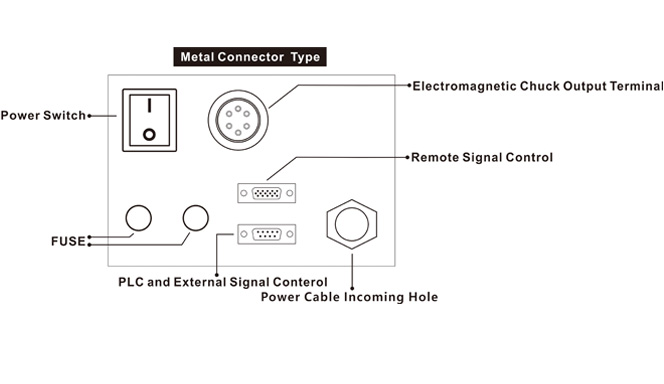
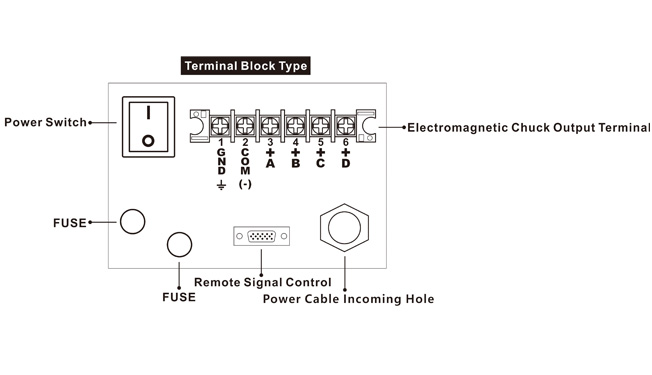
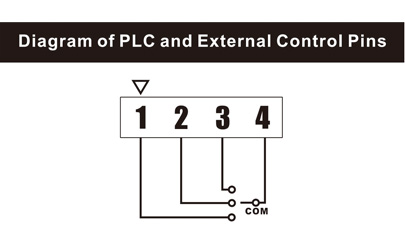
Descriptions of Terminal Block Pins:

.png)
.png)
.png)
.png)
.png)
.png)
